
Roughly a dozen bots are crawling the web on behalf of AI engines, and most site owners could not tell you which ones they let in and which they shut out. That sounds like housekeeping. It is not. A bot you block cannot read your page, and a page an engine never reads is a page it can never quote back to a buyer asking about your category inside ChatGPT, Claude, Perplexity or Google's AI Overviews. And it goes wrong quietly: nobody alerts you that you fell out of AI answers, you just slowly stop showing up. The good news: you can see your exact status in about two minutes, and fixing the usual mistakes takes about ten. Here it is, bot by bot, with the traps that catch people.
The one distinction that decides whether you show up
Before the list, you need one idea firmly in your head, because it changes what you should block and what you should never touch. The dozen bots do three different jobs, and people constantly mix them up.
Some are training crawlers. They collect text to train the next model. GPTBot, ClaudeBot, CCBot and a couple of control tokens live here. Blocking them opts your content out of a future training run. It does not remove you from today's answers, and plenty of publishers block them on purpose so their work does not feed a model they will later compete against. That is a legitimate choice with no real cost to your live visibility, and the economics explain the resentment: Cloudflare measured how lopsided the trade was in June 2025, with Google crawling roughly 14 pages for every referral visit it sent back, OpenAI around 1,700, and Anthropic around 73,000.
Some are search indexers. They build the index an engine reads from when it answers. OAI-SearchBot for ChatGPT search, PerplexityBot for Perplexity, and Anthropic's Claude-SearchBot sit here. And some are user-triggered fetchers: when a person asks something that needs a live look at a page, one of these grabs it in real time. ChatGPT-User, Perplexity-User and Claude-User do that job.
Those last two buckets, the indexers and the live fetchers, are the ones that decide whether you get cited in an AI answer. Block one and you drop out of that engine's results quietly, with no warning. That is the mistake that actually costs money, and it is almost always an accident. This is not just our mental model, either: Cloudflare formalized the same split in July 2026, sorting crawlers into Search, Training and Agent categories at the network level.
The twelve bots, grouped by who runs them
They cluster neatly by company, so let me walk them that way. From each group, remember which bot you keep open.
OpenAI runs three of them
GPTBot is the training crawler, so blocking it only opts you out of future GPT training and costs you nothing today. OAI-SearchBot builds the index behind ChatGPT's search, and ChatGPT-User is the live fetcher that grabs a page when someone's question needs one. Those last two are the ones you keep open. Block OAI-SearchBot and, per OpenAI's own docs, your site will not appear in ChatGPT search answers, though it can still show up as a plain navigational link. And because ChatGPT-User is triggered by a real person, OpenAI says its "robots.txt rules may not apply," so a Disallow there is more a polite ask than a hard stop.
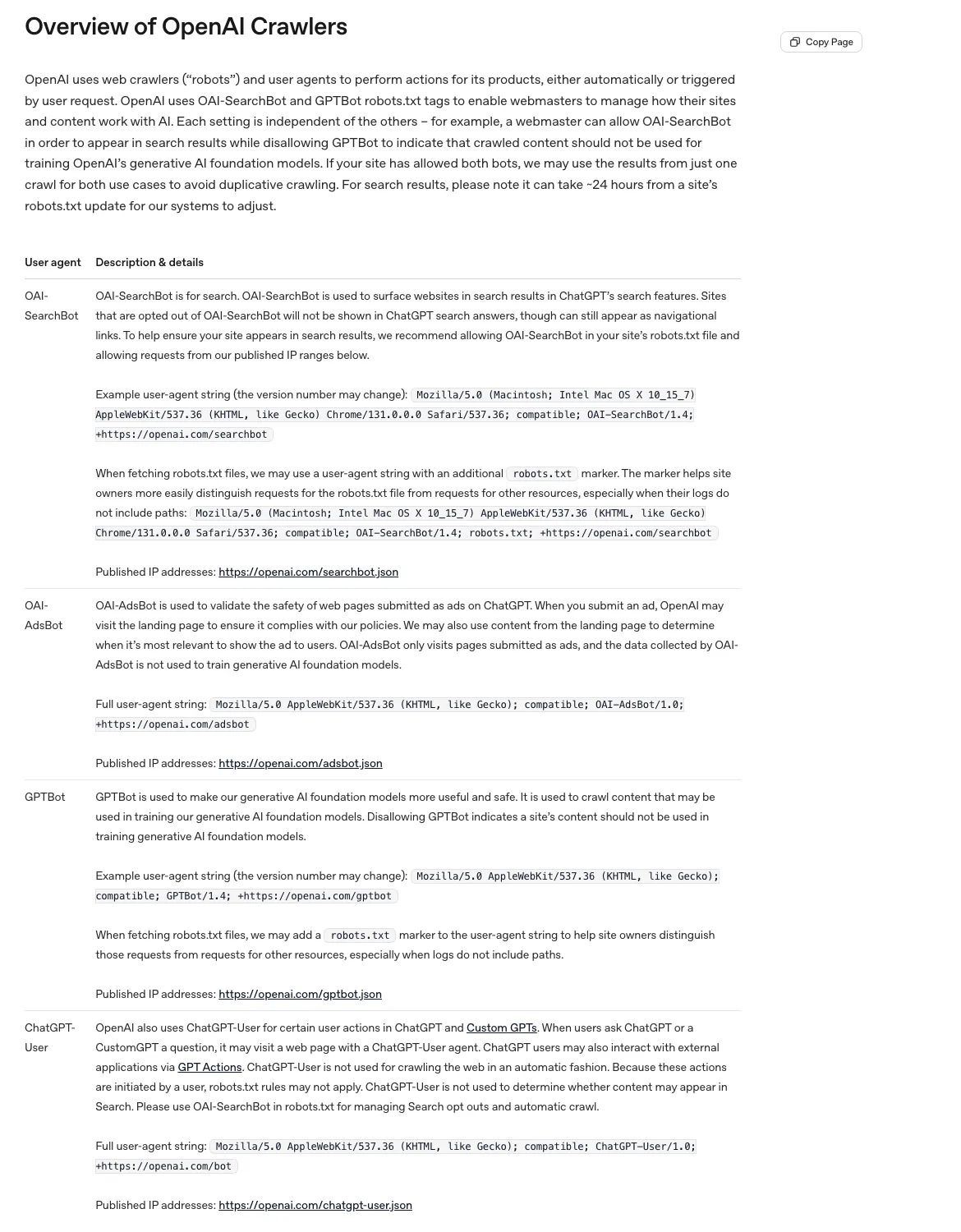
The roster keeps growing, too: OpenAI has since added a fourth bot, OAI-AdsBot, which checks pages submitted as ChatGPT ads. Any list of twelve is a snapshot, not a census.
Anthropic runs two
ClaudeBot is the training crawler. Claude-User is the live fetcher that pulls a page when your question needs a fresh look. Same pattern as OpenAI: the training one is optional, the user one stays open. Anthropic is the interesting outlier, though. Where OpenAI and Perplexity say their live fetchers may skip robots.txt, Anthropic states plainly that its bots, Claude-User included, honor "industry standard directives in robots.txt." It also respects the old Crawl-delay directive if you would rather slow ClaudeBot down than block it. Anthropic also documents a third agent, Claude-SearchBot, which improves search inside Claude and is not one of our twelve.
Perplexity runs two, and one of them ignores your rules
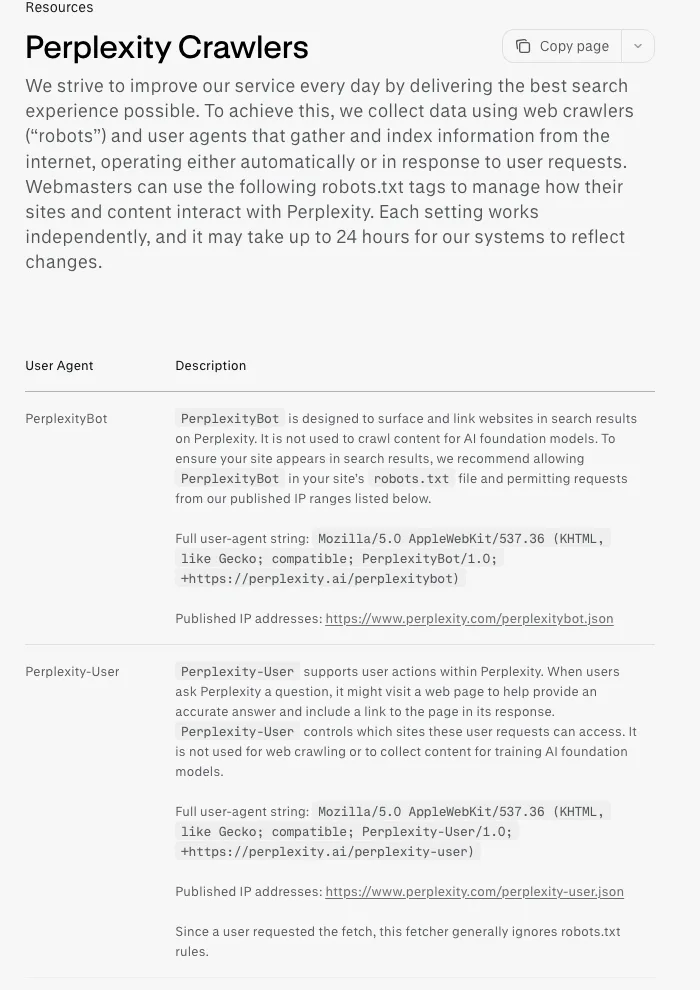
Same shape again: PerplexityBot builds the index, Perplexity-User does the live fetch when someone asks a question. And here is the line that makes this pair special, straight from Perplexity's own docs: because a user requested the fetch, Perplexity-User "generally ignores robots.txt rules." It is the only bot on our list whose vendor openly admits it will walk past your Disallow.
That honesty comes with an asterisk. In August 2025 Cloudflare accused Perplexity of using undeclared "stealth" crawlers with a generic browser identity to reach content on sites that had banned all crawling, and de-listed it as a verified bot. Perplexity disputed the findings. We are not refereeing that fight, but it previews the theme of this whole post: robots.txt is a request, and not every crawler treats it as binding.
Google is here as Google-Extended, and it is not a crawler
This is the single most misunderstood entry, so read it twice. Google-Extended is not a crawler at all. Google says so directly: it "doesn't have a separate HTTP request user agent string," it is a control token that Googlebot reads. All it does is decide whether your already-crawled content can train Gemini and ground answers in Gemini apps. Google is explicit that it "does not impact a site's inclusion in Google Search." And here is the part people get backwards: blocking Google-Extended does nothing to your AI Overviews. Those are built into Search and controlled through the normal Search levers, Googlebot access and snippet directives like nosnippet, not through Google-Extended.
Apple is here as Applebot-Extended, same story
Applebot-Extended works exactly like Google-Extended: a training opt-out token, not a crawler. Disallowing it tells Apple not to use your content to train its Apple Intelligence models, and Apple confirms your pages "will remain discoverable through Spotlight, Siri, and Safari" either way. The actual crawler, plain Applebot, is a separate thing and is not one of the twelve. So these two tokens are the freebies of the list: block them if you do not want to feed model training, and nothing you actually care about changes.
The three training crawlers you will also see in your logs
That leaves three, all training-side. CCBot is Common Crawl's crawler, feeding the open dataset many models train on, so a single Disallow there has unusually broad reach. It respects robots.txt. meta-externalagent is Meta's AI crawler, and per Meta's docs it honors robots.txt too. Meta has since filled out the same pattern as everyone else, documenting a search indexer, Meta-WebIndexer, and a user-triggered fetcher, Meta-ExternalFetcher, which like the other user fetchers may bypass robots.txt; neither is one of our twelve. Then there is Bytespider, from ByteDance, the company behind TikTok, and it is the odd one out. ByteDance publishes no documentation for it at all: no official user agent, no IP ranges, no way to verify a request, and it has a reputation for ignoring the rules. According to Kasada research reported by Fortune, Bytespider "does not respect robots.txt" and at its peak scraped around 25 times faster than GPTBot. Cloudflare's numbers show the attention that earned it: it appeared on 40.40% of Cloudflare-protected sites in July 2024, the most of any AI bot and the most blocked, dropping to 9.37% a year later. So if you want Bytespider gone, that takes a server or firewall rule, not a line in a text file.
robots.txt is a request, not a lock
One more concept before we get practical. In 2022 the robots.txt convention finally became a formal standard, RFC 9309, and the document is refreshingly blunt about what robots.txt is. In its own words, "These rules are not a form of access authorization." It is a sign on the lawn, not a locked gate. Compliant bots read it and behave. The ones that do not, like Perplexity-User by its own admission and Bytespider by reputation, walk right past.
A few mechanics from that standard are worth memorizing, because our checker and every real crawler follow them. A missing robots.txt (a 404) means crawl everything: every bot is allowed by default. A 5xx error on robots.txt means the opposite, so a flaky server can quietly drop you out of AI search without anyone editing a rule. Matching is longest wins, so a specific Allow can override a broad Disallow. And changes take up to 24 hours to land, because crawlers cache the file. So real enforcement does not live in robots.txt. It lives at the firewall or CDN layer, which is exactly where Cloudflare moved it: from September 15, 2026, its defaults will block Training and Agent crawlers on pages that show ads while letting Search crawlers through. Coverage says that applies to sites onboarding to Cloudflare and existing free plans, so treat the scope as still evolving.
The robots.txt mistakes we see constantly
Four mistakes come up over and over, all easy to fix once you can see your file.
The first is the 2023 panic block. Someone added a Disallow for every AI user agent back when the scraping panic was fresh, that person has since left, and nobody has opened the file since. This is astonishingly common. Cloudflare's data shows AI crawlers are now the most frequently fully disallowed user agents on the whole web, with signs of second thoughts: Google-Extended allow directives tripled over 2025 as sites walked their panic back. The fix is to check what you are blocking and reopen the retrieval bots.
The second is blocking the wrong name. robots.txt matches the exact token in the User-agent line and nothing else. Write User-agent: OpenAI or User-agent: ChatGPT hoping to shut them out and it does exactly nothing, because the real tokens are GPTBot, OAI-SearchBot and ChatGPT-User. A guessed name silently fails in both directions: people who meant to block stay wide open, and people who meant to allow fumble the spelling and stay blocked. Version numbers drift too, so match the token, never the version.
The third is assuming Google-Extended protects you from AI Overviews. It does not, as covered above, and it is worth repeating because so many people get it backwards. Blocking that token touches Gemini training and nothing else.
The fourth is the firewall you forgot about. Your robots.txt can say "come on in" while Cloudflare or your WAF quietly returns a 403 to the crawler's IP range, or a 5xx that reads as deny everything. The file is the polite request; the firewall is the locked door, and the door wins. If the checker says allowed but you still are not showing up, check whether your CDN has an AI bot rule switched on.
Check your own site in two minutes
Enough theory. Go look at your own file. Open our free AI crawler checker, type your domain, and it reads your live robots.txt and shows you allowed, partial, or blocked for all twelve bots, with a short note on what each block costs you. For a feel of how an opinionated file reads, run it on openai.com to see how they handle their own bots, or on nytimes.com for a big publisher, since AI companies and publishers hold the strongest opinions in their robots files.
You will land in one of three situations. Everything is open, which is usually fine. A few training bots are blocked on purpose, also fine if it was a decision and not an accident. Or a retrieval bot, one of the indexers or live fetchers, is blocked, and that is the one to fix today. Cloudflare found only about 37% of the top ten thousand sites even have a robots.txt, so plenty of people run the check and find they are wide open, which is a perfectly good place to be.
Write a correct policy in a couple of minutes
Once you know your status, the fix lives in one file at yoursite.com/robots.txt: allow the retrieval bots and, if you want out of training, disallow the training ones. It is a handful of lines, and getting the tokens exactly right is the whole game, which is precisely where people slip. Rather than copy a dozen bot names by hand and hope you did not typo one, use our free AI Robots.txt Generator. Toggle each of the twelve bots on or off, or pick a preset like "block training, keep retrieval," and it writes the correct block for you to copy or download. Paste it in at your site root, then run the crawler checker again to confirm it reads the way you intended. Generate, then verify. That is the whole job.
If you want to be sure it is really them
One last practical note: spoofed user agents are common, and a fake GPTBot in your logs can send you chasing ghosts. Almost every major vendor now publishes its crawler IP ranges as a machine-readable file: OpenAI, Perplexity, Anthropic, Apple, Common Crawl and Google all do it, in the same simple JSON format, so you can confirm a request really came from their network before you trust or block it. The two that do not are Meta, which publishes no IP list, and ByteDance, which publishes nothing at all, so those you can only match on the user agent string and take on faith.
Access is necessary, not sufficient
Getting the plumbing right is step one, not the finish line. Once the engines can read you, the real question becomes whether you are worth citing. A clean robots.txt with nothing quotable behind it still gets you nowhere. If you want one number for the whole stack, our free AI visibility checker grades in a single scan whether the engines can read your site, parse it and cite it. If access is sorted and you are still not getting named in AI answers, the bottleneck has moved from access to authority, and our guide to generative engine optimization and the companion on getting cited by ChatGPT pick up where this post ends. It is also worth reading why the llms.txt file everyone rushed to add never did anything, so you do not burn a weekend on it.
And once the door is open, you will want to know whether anyone walked through it. robots.txt tells you the engines can reach you, not whether they quote you. That is the job of MentionFlow, the AI visibility tracker we built, which watches whether ChatGPT, Claude, Perplexity and Google's AI answers name your brand, and who they name instead when they do not.